DroMap Paid membership
The basic map check stays free, as always. With a paid membership you see who to contact before you fly, right in the result, and the ad before the result no longer appears.
¥4,800 per year (¥400 a month) or ¥500 per month, tax included. Renews automatically; cancel any time.
Open the map and become a memberWhat you get
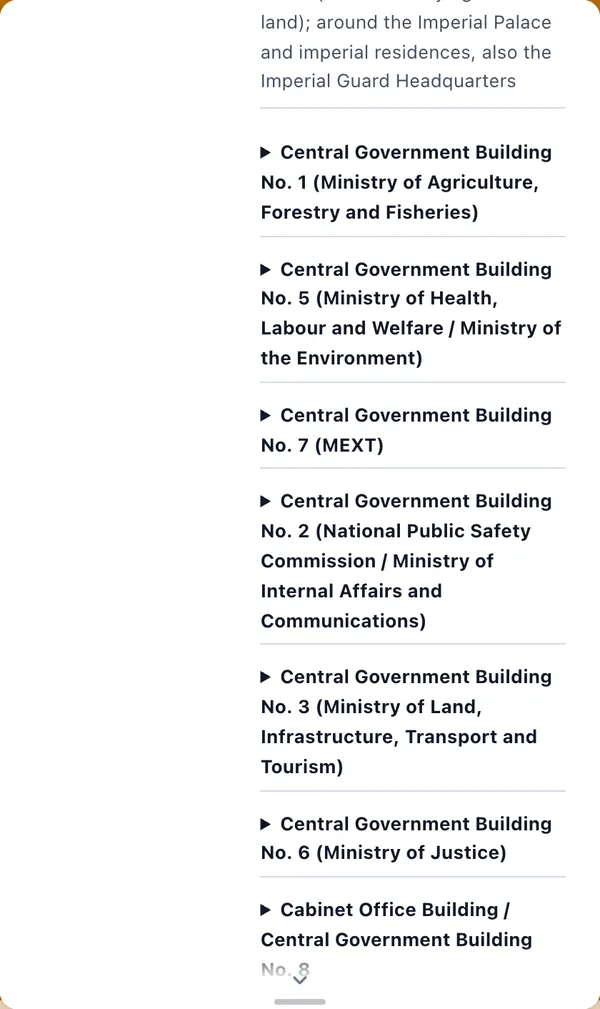
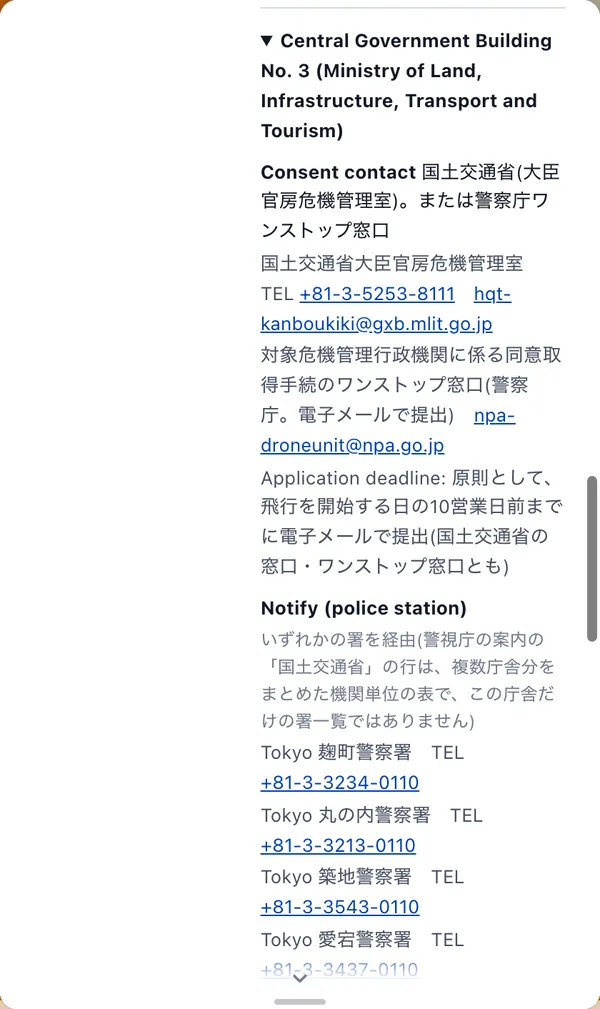
1Names of Yellow Zone facilities, and who to ask for consent and notify
In a Yellow Zone you can fly only if an exception applies, such as consent from the facility manager. You must also notify the police station that covers the area, at least 48 hours before the flight.
Members see the names of the nearby facilities and the contacts for consent and notification (phone, email, application deadline and so on) in the result. You spend less time looking up who to call.
Free users can still see that a place is in a Yellow Zone and that consent and notification are required. Members also see the contacts.
2Contacts for natural parks and national parks
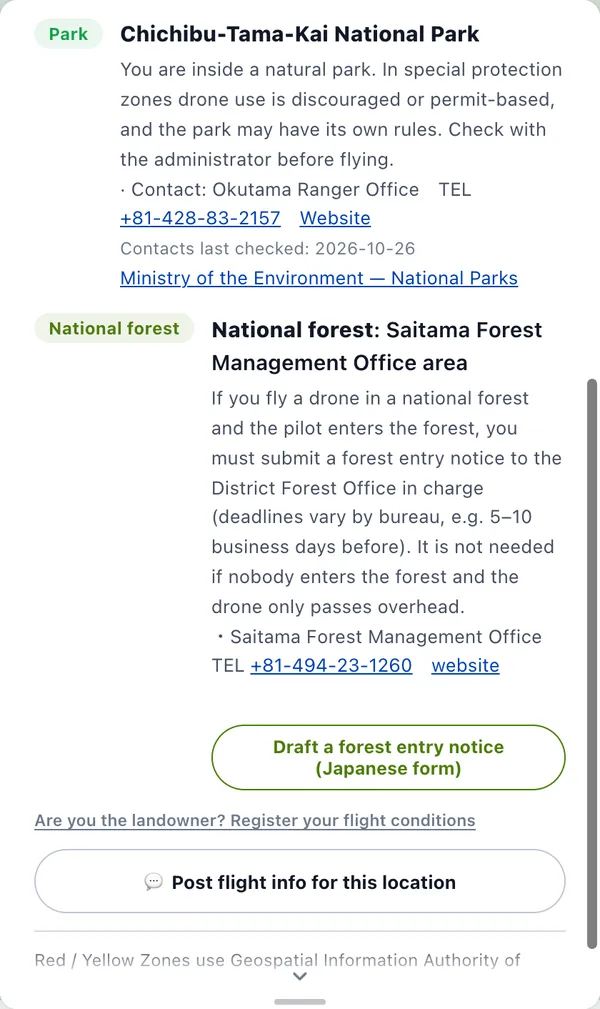
Inside natural parks and national parks, drone use may be discouraged or need permission in special protection zones, and each park may have its own rules.
Members see the park office's contact details (phone and website) and the date they were last checked.
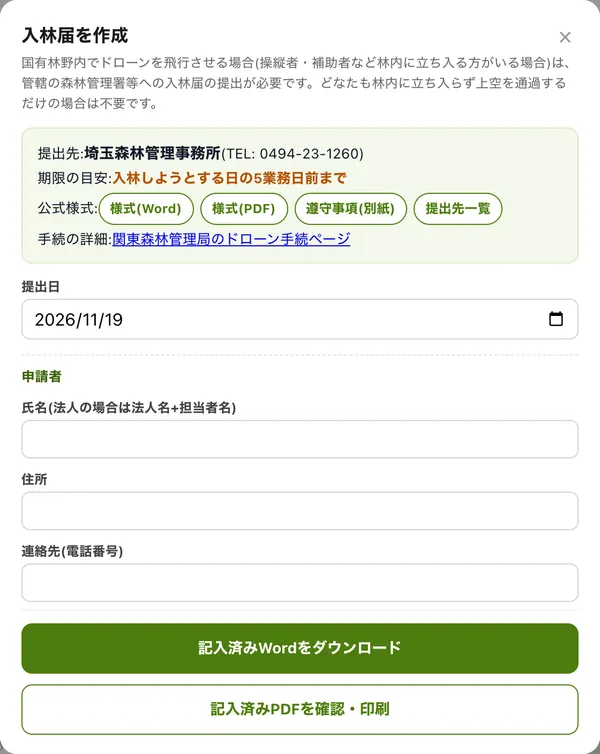
3Forest entry notice drafts
To fly a drone in a national forest where the pilot or others will walk into the forest, you must submit a forest entry notice to the local Forest Management Office.
Members can make a draft of the notice, with the office to submit to, the lead-time guideline and links to the official forms already filled in. In the areas of the Hokkaido, Tohoku, Kanto, Shikoku and Kyushu Regional Forest Offices you can add your details and download a completed Word or PDF file. In the Chubu and Kinki-Chugoku areas, you copy the draft text onto the official form.
The form is in Japanese. Before you submit, check the latest procedure with the Forest Management Office.
4Save up to 1,000 places and 100 projects
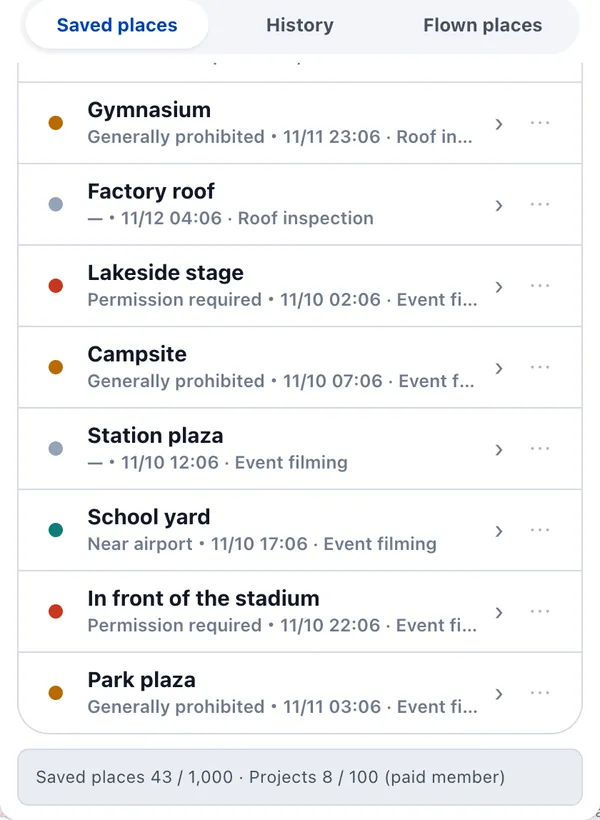
Save places with the star and sort them into projects, one for each job. Free accounts can save 30 places in 5 projects; members can save 1,000 places in 100 projects.
It suits you if you have many sites or want to keep each job's places apart.
* The save limits above apply on the web and in the Android app. Until its next update, the iOS app allows up to 100 saved places whether or not you have signed up (if the cloud holds more than 100, the newest 100 are shown).
5No ad before the result
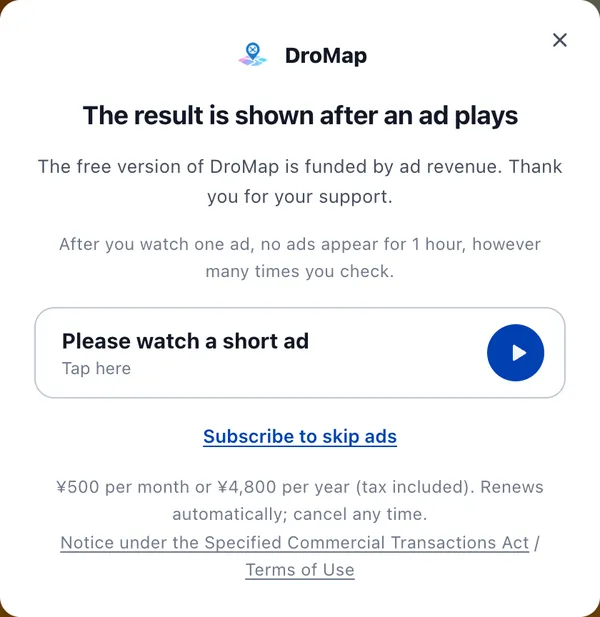
On the free plan you watch one short ad before the result. After that, no ads appear for 1 hour.
Members see no ads while signed in.
In the iOS app, saving offline maps is also a paid-member feature.
Screens shown are from November 2026 and may change.
Free and paid compared
| What you can do | Not signed up | Free account | Paid member |
|---|---|---|---|
| Flight checks and the map | Yes | Yes | Yes |
| Places you can save | 5 | 30 | 1,000 |
| Projects you can save | 1 | 5 | 100 |
| Where saved places are kept | On this device | Cloud | Cloud |
| Yellow Zone facility names and contacts for consent and notification | No | No | Yes |
| Natural park and national park contacts | No | No | Yes |
| Forest entry notice drafts | No | No | Yes |
| Ad before the result | Yes | Yes | No |
After you watch an ad, none appear for 1 hour. Members see none while signed in.
* The save limits above apply on the web and in the Android app. Until its next update, the iOS app allows up to 100 saved places whether or not you have signed up (if the cloud holds more than 100, the newest 100 are shown).
Price
Yearly plan
¥4,800 / year, tax included
¥400 a month
Renews automatically every year
Monthly plan
¥500 / month, tax included
Renews automatically every month
- You can cancel at any time. After you cancel, you stay a member until the current period ends.
- You need to be signed in to your DroMap account to subscribe.
- In the apps, the price is shown in your store's currency.
If you have a paid DroNote plan
DroNote's paid plan includes DroMap membership. You can use it with the same account at no extra charge, so you do not need to subscribe.
A DroMap membership alone does not include DroNote's paid features.
How to subscribe
You can subscribe on the web, in the iOS app or in the Android app, and pick the monthly or the yearly plan in each.
Web
- Subscribe
- Open the map in your browser, sign in and use Plan
- Payment
- Credit card (processed by Stripe)
- Cancel
- Sign in, then go to Plan in your account and choose the payment and cancellation page
iOS app (App Store)
- Subscribe
- Sign in to the app and open the plan screen
- Payment
- App Store payment
- Cancel
- On your iPhone: Settings, your name, Subscriptions. Do it at least 24 hours before the renewal date
Android app (Google Play)
- Subscribe
- Sign in to the app and open the plan screen
- Payment
- Google Play payment
- Cancel
- In the Google Play Store, under Subscriptions
Wherever you subscribe, use the same account
Membership is tied to the account you subscribed with. Whether you subscribed on the web or in an app, sign in with the same account and you are a paid member on the web, in the iOS app and in the Android app. It does not apply while you are signed out.
FAQ
Open the map and take a look at the plan screen
¥4,800 per year (¥400 a month) or ¥500 per month, tax included. Renews automatically; cancel any time.
Open the map and become a memberYou can also subscribe in the apps




Prices include tax. Contacts and other information shown in the paid features are for reference; we do not guarantee that they are accurate or up to date, so check with each office before you act. This page reflects information as of November 2026.